
Immediately after configuring the TFS Integration Tools you receive a TFS WIT invalid submission conflict type that states that the source item is invalid.
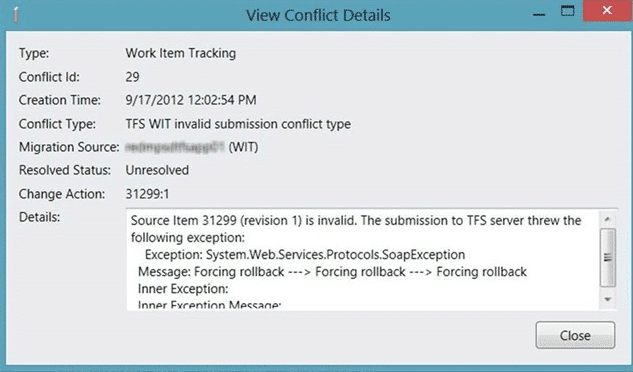
Figure: The source item is invalid
There is no further debug information.
Applies to
- TFS Integration Tools, version 2.2, March 2012
Findings
While this immediately looks like a problem with the configuration and can indeed be related to a configuration or date conversation issue if you have just installed the TFS Integration Tools there may be a simpler resolution.
The first thing to do is to enable TFS WIT bypass-rule submission rule in the configuration and make sure that your account is in the “Service Accounts Group”.
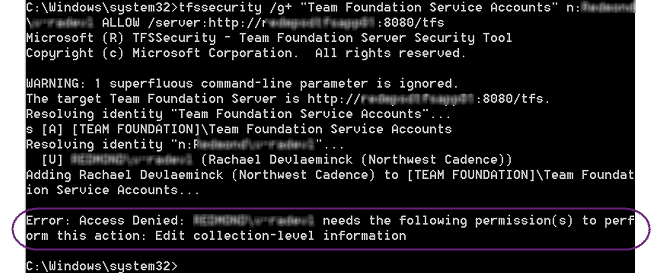
Figure: Access Denied
If however you get “Access denied” with you account not having “Edit collection-level information” then the account that you are using to access TFS does not have the correct permission.
Solution
You need to make sure that the account under which you are running the TFS Integration Tools is at least a “Collection Administrator” and preferably a “Team Foundation Administrator”. There are many things that the TFS Integration Tools do that requires this level of permission.
note: I recommend building and testing all of your scripts/configurations against a test server, or at the very least a throw-away collection before you work against production.
You should now be able to successfully run your configuration although I can’t guarantee further errors 

